No more searching by username. Your Gem Space profile now has a personal contact link — share it, and people can jump straight into a chat with you. No extra steps, no friction, no searching.
Your contact link is only visible to you — you decide who to share it with and when. It works across any messenger, email, or platform. Just send it, and whoever taps it lands directly in a chat with you on Gem Space. If they don’t have the app yet, they’ll be prompted to download it first and then connect with you instantly.
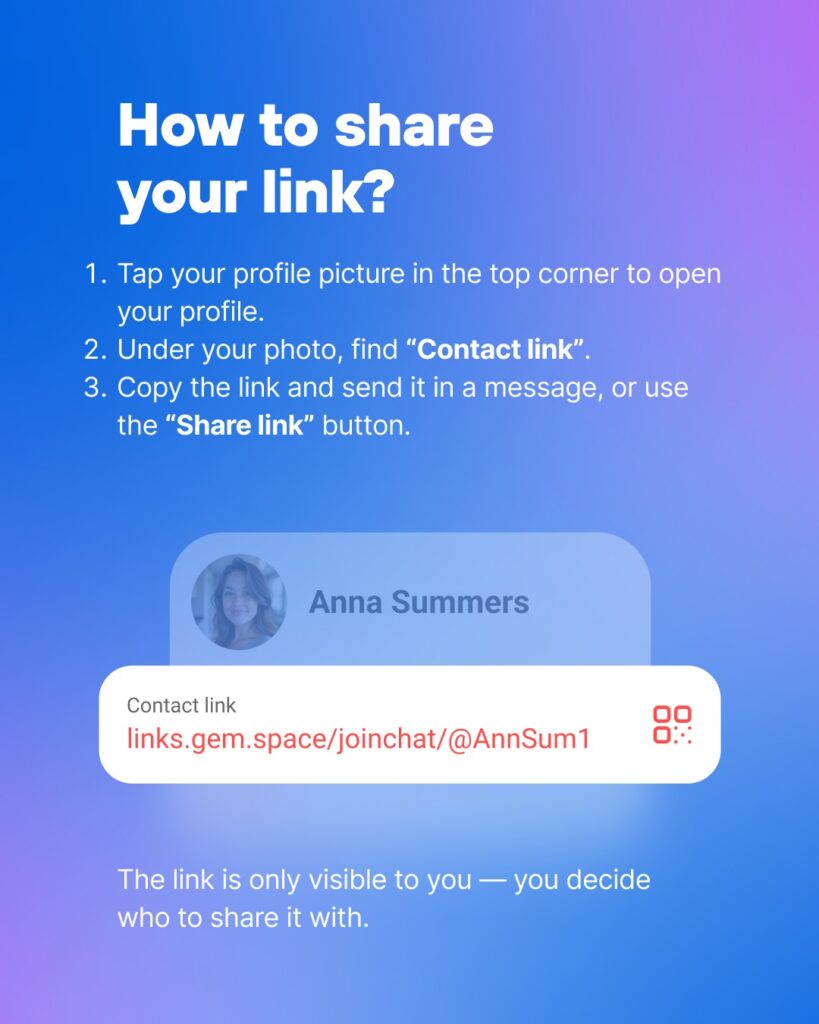
Sharing your link takes seconds. Here’s how it works: tap your profile picture in the top corner to open your profile, find your Contact Link displayed just under your photo, then copy it and send it in a message — or use the Share Link button to send it directly through any app on your device.
Whether you’re adding a new colleague, reconnecting with someone, or simply making it easier for people to reach you — your personal link removes every barrier that usually gets in the way. One link. One tap. Straight to the conversation.
Try it now and see how easy it is to connect on Gem Space.
Download the update:
Stay informed — join our Angels Team channel in Gem Space.
Comments are closed